Bank-specific approval help in Pay by Bank checkout
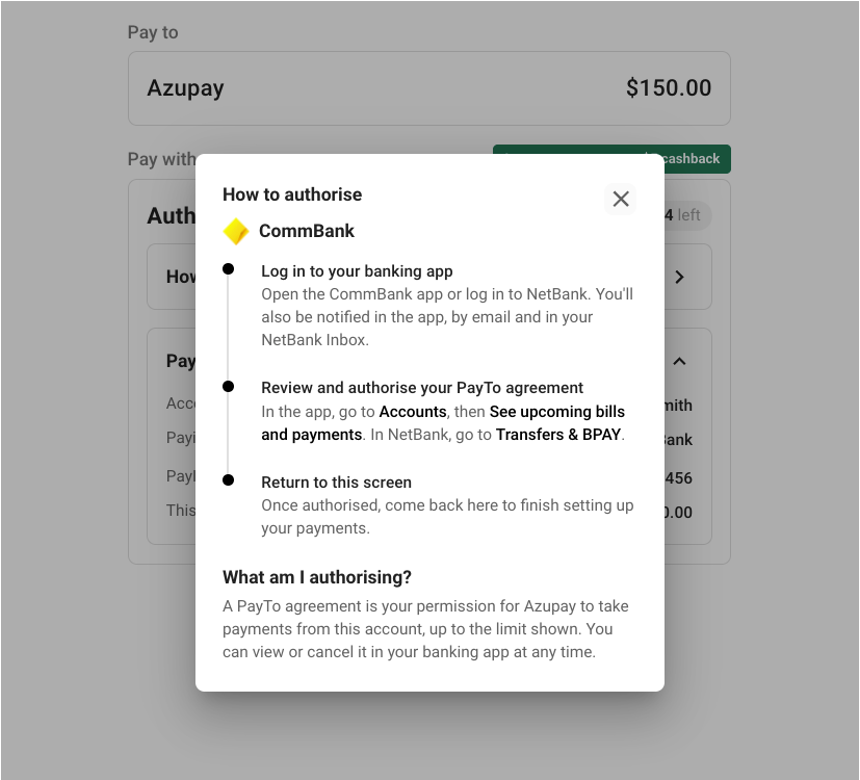
To help your customers approve PayTo agreements with confidence, we’ve refreshed the approval screen in Pay by Bank checkout and added step-by-step help for their own bank.
The approval screen is the last step before a PayTo payment goes through. Your customer sees Authorise your PayTo agreement screen, with a timer showing how long they have left to approve it in their banking app or online banking.
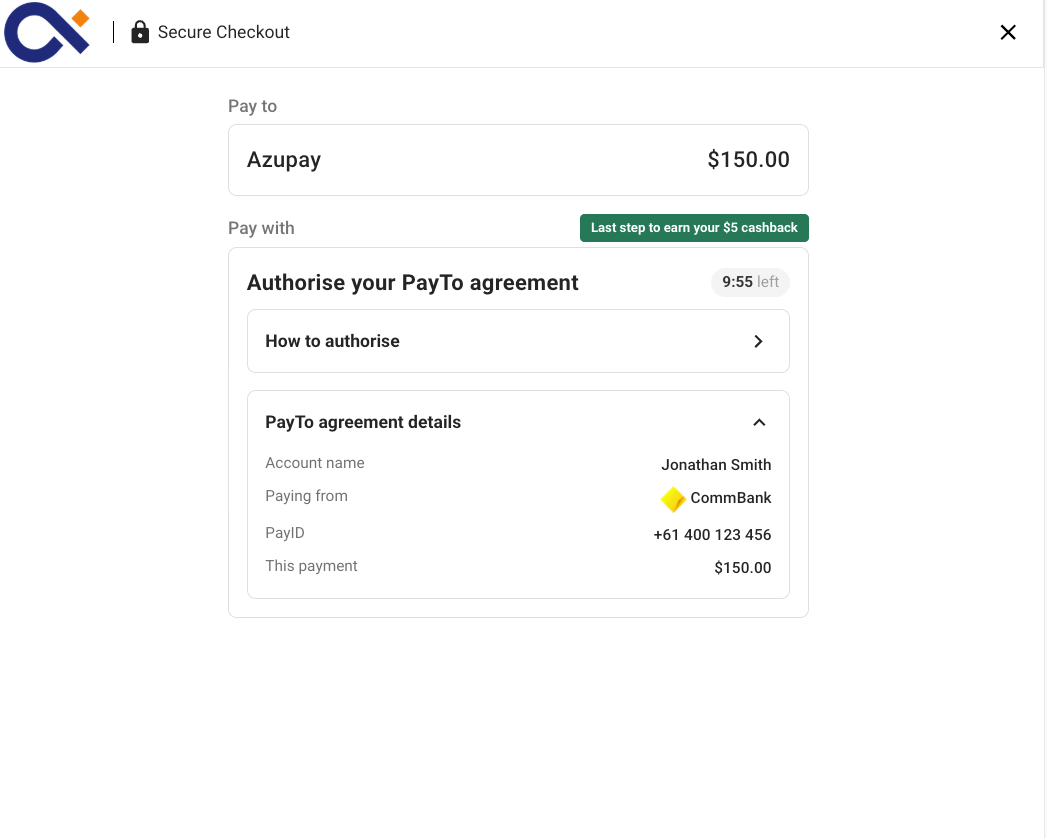
For customers not sure where to find their PayTo agreement, selecting ‘How to authorise’ opens instructions for the bank linked to the customer’s PayID, including the major banks: CommBank, Westpac, ANZ, NAB, Bankwest, Bendigo Bank, ING, Macquarie Bank and St.George Bank with the bank’s name and logo where available. The steps cover logging in, finding and authorising the agreement, then returning to checkout. If checkout can’t identify the bank, or doesn’t have instructions for it yet, your customer sees general guidance that works for any bank.