
Cashback for Pay by Bank checkout
To give you a way to reward customers for choosing Pay by Bank at your checkout, we've introduced Cashback rewards for Pay by Bank. Customers who choose Pay by Bank at checkout can now earn a fixed cashback amount. They pay the full purchase price, and the cashback is paid to them. Your settlement and recorded purchase amount in the payment flow don't change.
With card surcharging removed from 1 October 2026, Cashback at Pay by Bank checkout gives customers a clear reason to choose a lower-cost way to pay. There are no voucher codes and nothing to claim.
What your customers see
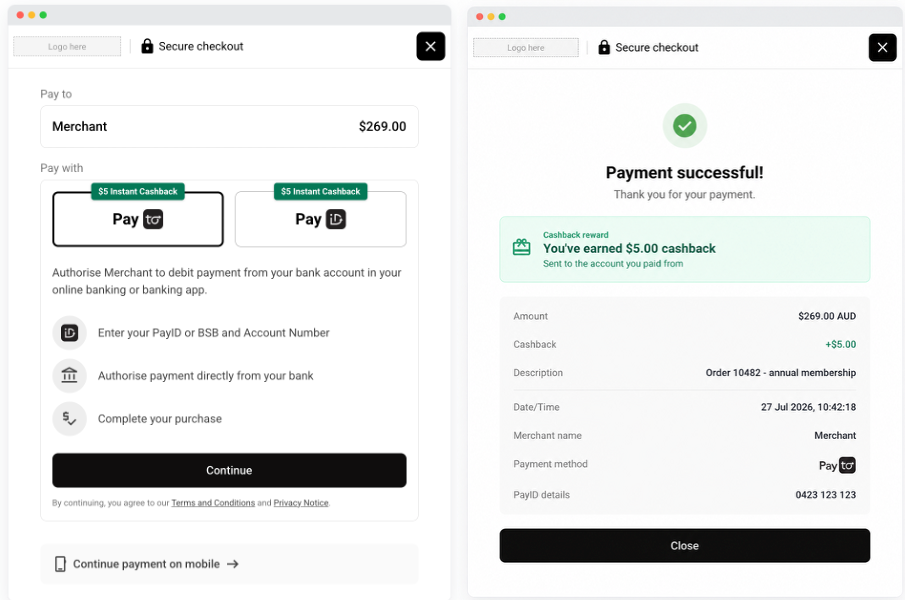
Eligible payment options show a badge such as "$5.00 Instant Cashback", and it stays visible on-screen through the Pay by Bank payment flow. Once the payment succeeds, the confirmation page shows the full amount paid, the cashback earned and where it was sent. Cashback is always shown as a reward, never a discount.
Manage your cashback campaign in the client dashboard
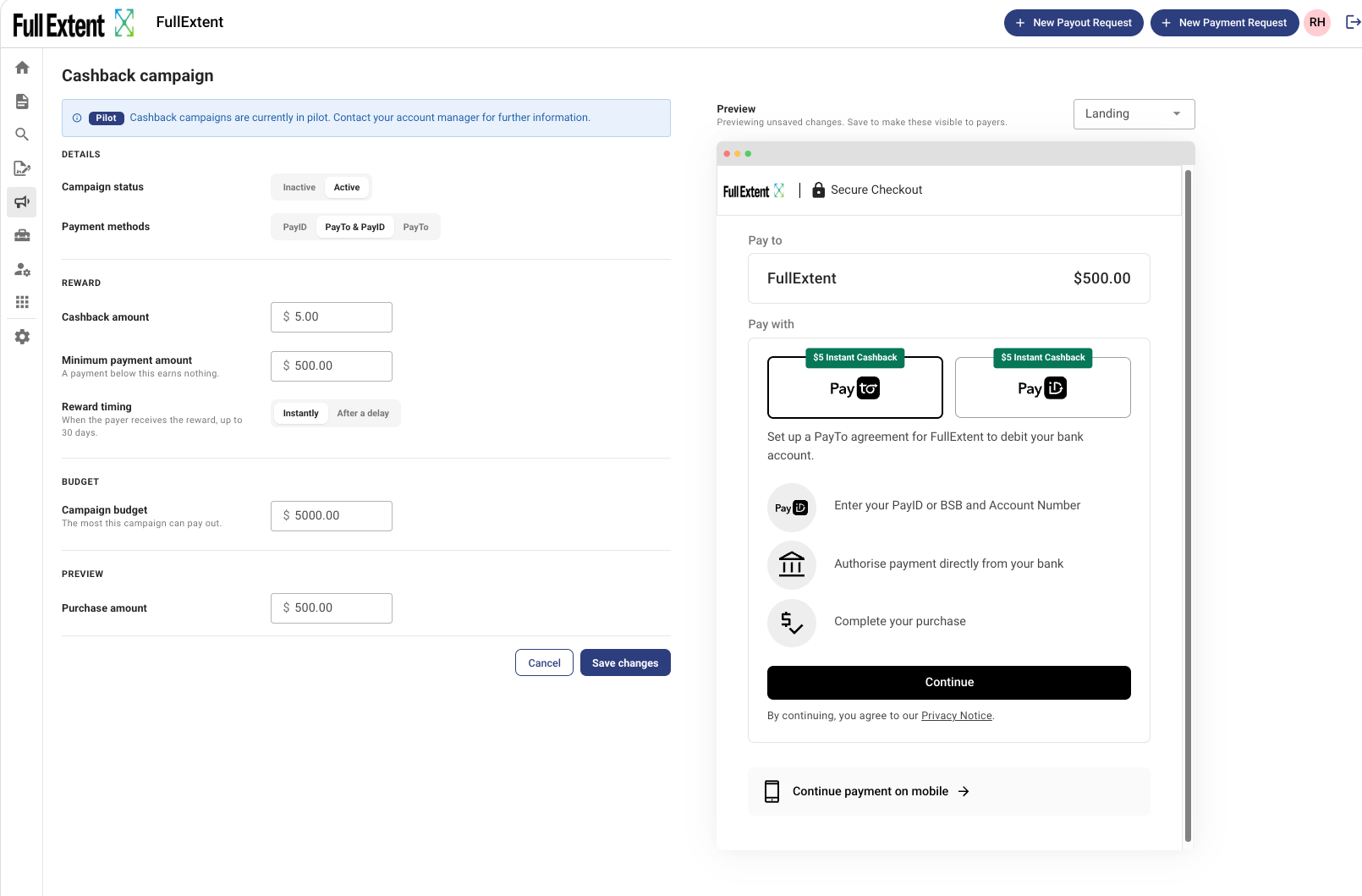
Admin and Finance Admin users of the Azupay client dashboard can set up cashback from the new Campaigns page. Switch your Cashback campaign on or off, choose PayID, PayTo or both, and set the cashback amount, minimum payment and campaign budget. The page tracks cashback paid out against your remaining balance. Need more?
A live preview beside the form shows how cashback will look to your customers as you edit, so you can test an example transaction before you save.
✅ If you want to be be able to offer your customers Cashback rewards when choosing Pay by Bank at your checkout, speak with your Azupay account manager today