Added
Clearer PayID payment instructions in Pay by Bank checkout
September 3rd, 2026
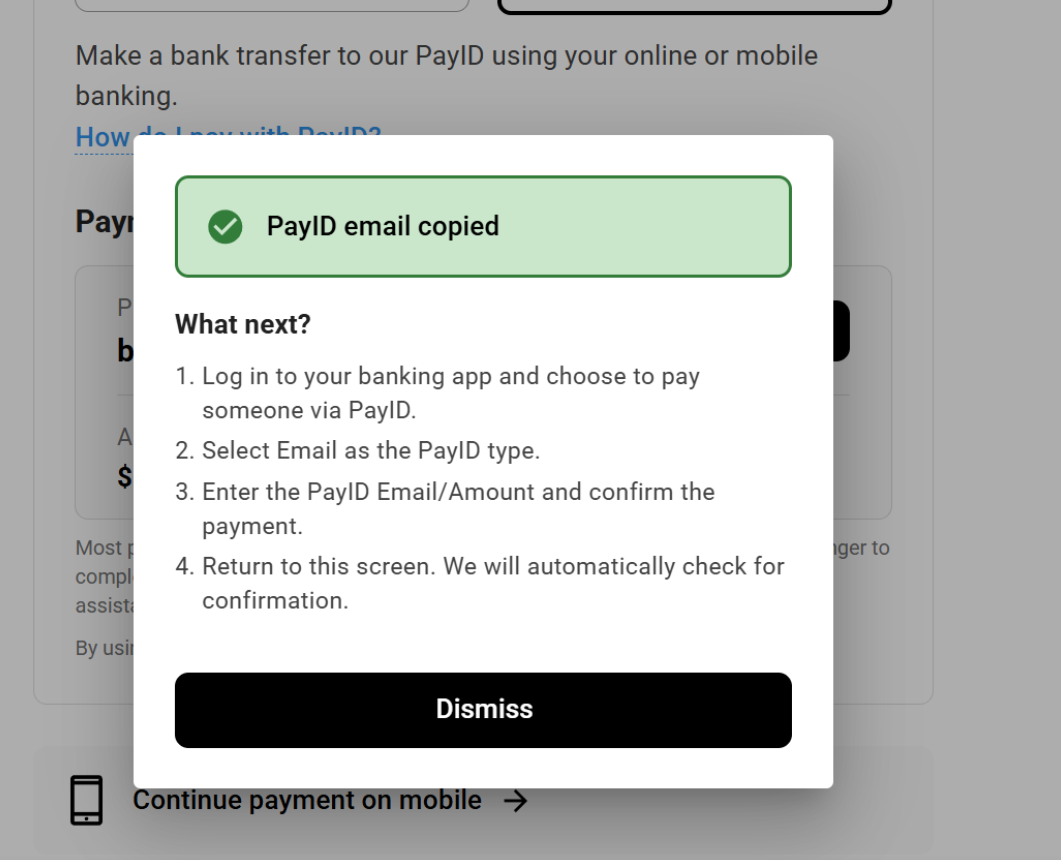
To help your customers complete PayID payments without second-guessing the next step, the Azupay Pay by Bank checkout now shows clear payment instructions as soon as they copy the PayID details.
When a payer selects the Copy button, a pop-up opens with simple instructions on how to finish the payment in their banking app. It sets expectations up front, so fewer payers get stuck or drop off halfway through.
We trialled this experience with a portion of payers before making it the default. It’s now live for everyone paying by PayID in checkout, and there’s nothing you need to change in your integration.