
Pay with PayID option for returning Pay by Bank customers
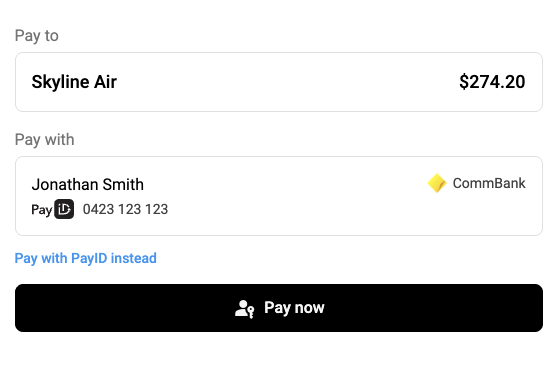
To give returning customers another way to finish paying, we’ve introduced a ‘Pay with PayID instead’ option in Pay by Bank checkout.
For Pay by Bank checkout configured with recurring PayTo and passkeys, returning customers confirm their payment with Face ID, a fingerprint or their device PIN. It’s fast when it works. But if they dismiss the passkey prompt, or authentication fails, they could be left without a clear next step. Now they can switch to PayID and complete the payment.
The option appears on the returning customer screen when your checkout offers both PayID and PayTo, and it stays there after a dismissed prompt or failed authentication. Selecting it opens the standard PayID payment screen for the same payment request, with the same merchant, amount and description. Changed their mind? 'Pay with PayTo' instead takes them back.
📄 Learn more about recurring PayTo with passkeys
✅ To offer both PayID and PayTo in Pay by Bank checkout, speak with your Azupay account manager.