
Subscriptions App
Overview
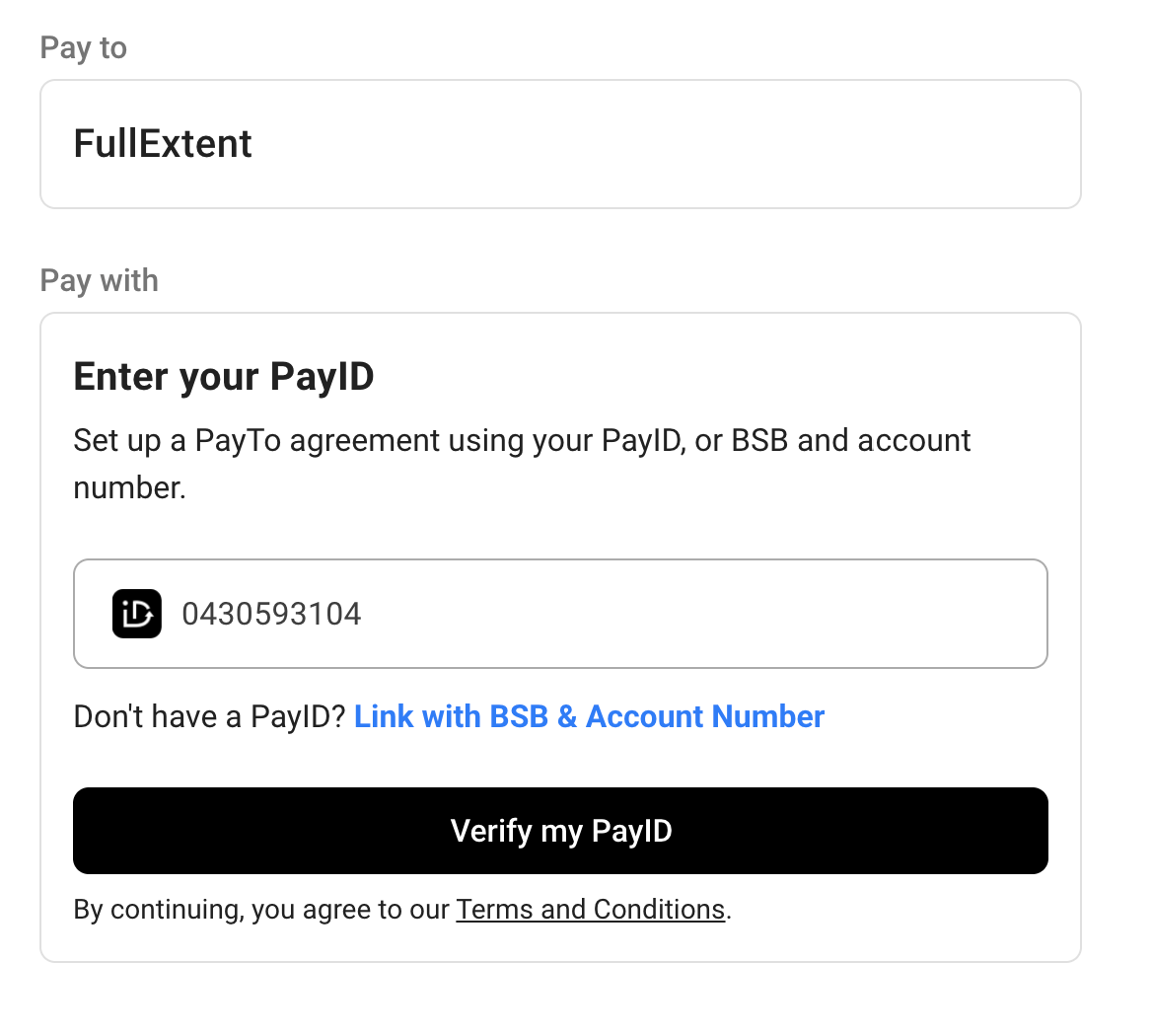
The Subscriptions App helps businesses collect authorised payments directly from a customer’s bank account using PayTo agreements.
Instead of building the full agreement creation, approval, and repeat-payment journey yourself, you can use the app to launch customer-authorised payment flows faster through Azupay’s hosted experience. This makes it easier to support both once-off and recurring payment collection without having to manage the full orchestration across your own systems and the banking environment.
For developers, this means less effort to implement and maintain the agreement setup flow. For businesses, it means a more flexible way to collect payments for subscriptions, memberships, instalments, and repeat billing. The app combines agreement setup, customer authorisation, hosted user experience, and payment initiation support in one solution, so teams can focus less on payment orchestration and more on delivering a smooth billing experience.
Key Features
| Key Features | Description |
|---|---|
| Customer-authorised bank payments | Collect payments directly from a customer’s bank account through PayTo agreements. |
| Support for once-off and recurring use cases | Use the same solution for one-time authorised payments and ongoing repeat billing. |
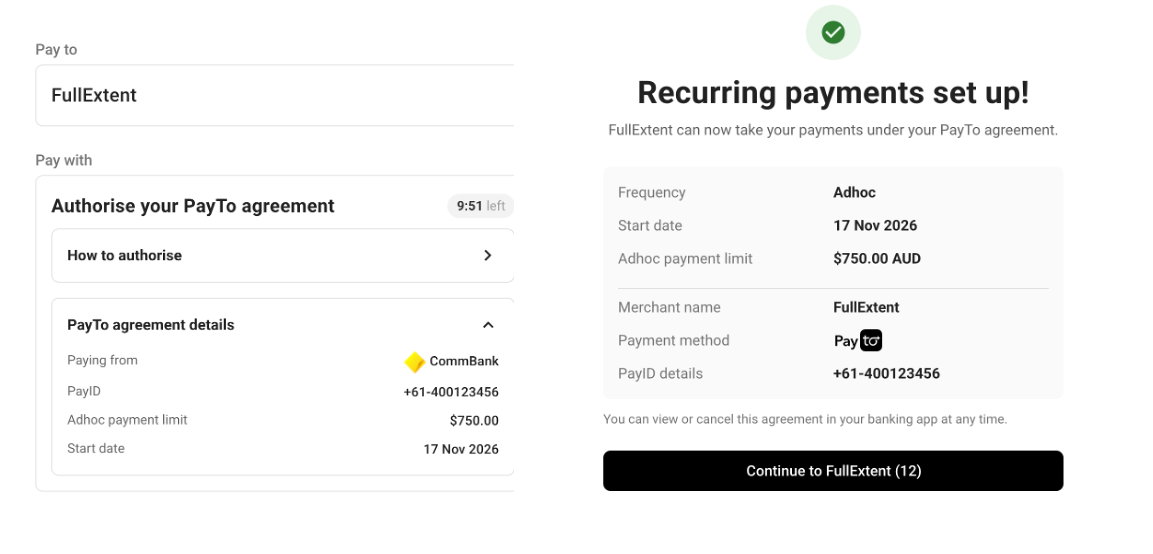
| Hosted agreement setup experience | Guide customers through payment terms, account details and PayTo authorisation using Azupay’s hosted experience. |
| Faster implementation | Avoid building the full PayTo agreement setup and activation journey yourself. |
| Support for recurring billing journeys | Set up ongoing payment authorities for subscriptions, memberships, and repeat service payments. |
| Pay & Subscribe support | Combine an upfront payment with an ongoing agreement in a single flow where supported. |
| Payment status visibility | Receive agreement and payment status updates through API responses and webhooks. |
| Better customer guidance | Customers are shown clear, purpose-built screens throughout the agreement and payment journey. |
The Subscriptions App helps you create PayTo agreements through a hosted experience, then use those agreements for future payment collection.Create a request using the PaymentAgreementRequest API, then direct the customer to the returned PaymentAgreementRequestStatus.sessionUrl. Once the agreement is active, collect eligible payments through the Payment Initiation API or use the optional automatic scheduler setup.
See Pull via Subscriptions App for integration guidance.
Typical Use Cases
Use the Subscriptions App to establish PayTo agreements for recurring collections, including subscriptions, memberships and instalment plans.
Create recurring PayTo agreements to collect repeat payments directly from the customer’s bank account. This helps businesses automate regular billing without relying on card-based payment methods.
Best suited to:
SaaS businesses, digital services, streaming services, memberships, and recurring subscription models.
Use PayTo agreements to establish an ongoing payment authority for recurring membership fees. This gives customers a bank-based payment experience while simplifying repeat collections.
Best suited to:
Gyms, clubs, associations, education providers, and subscription-based membership models.
Use recurring PayTo agreements to collect payments over time according to an agreed schedule. This helps businesses support structured payment arrangements through a bank-authorised payment model.
Best suited to:
Service providers, finance-related payment plans, education fees, and staged billing use cases.
Need to collect an upfront payment?Use the Pay & Subscribe journey in the Pay by Bank App to collect an initial payment and establish an ongoing PayTo agreement in the same checkout.
Updated 11 days ago